ELXR
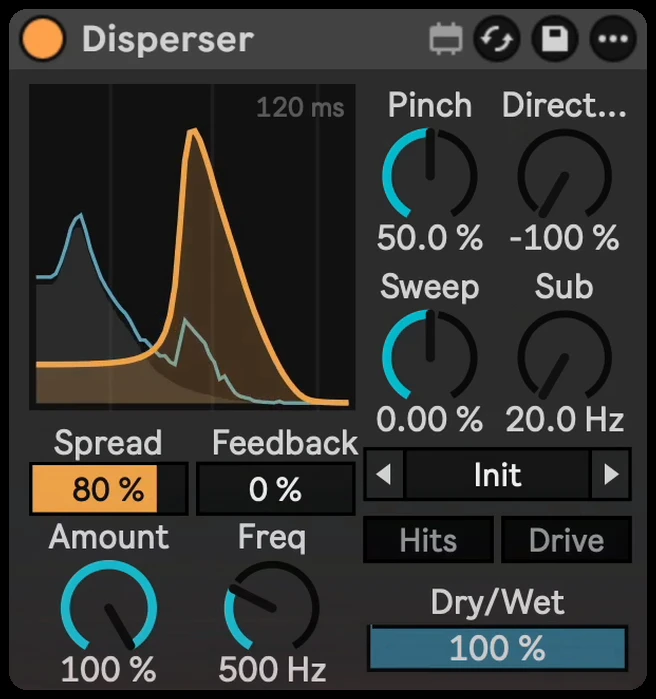
Disperser
Turn every hit into a laser zap with a small, stock-style disperser.
Already own Disperser? Get the latest version →
Hear the difference
A tight kick loop, then the same loop recorded through Disperser in Ableton Live (Kick Thwip preset). Both are matched in loudness, so you hear the change, not just a volume jump. Switch while it plays.
What it does
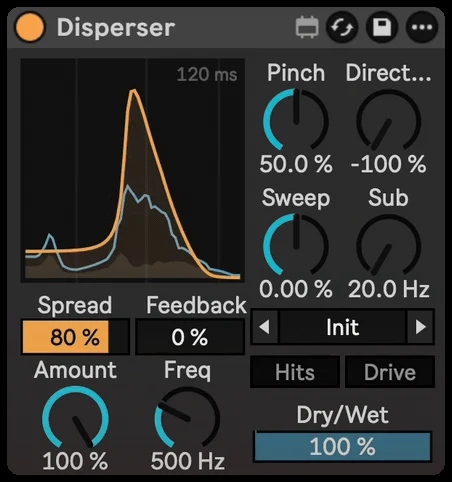
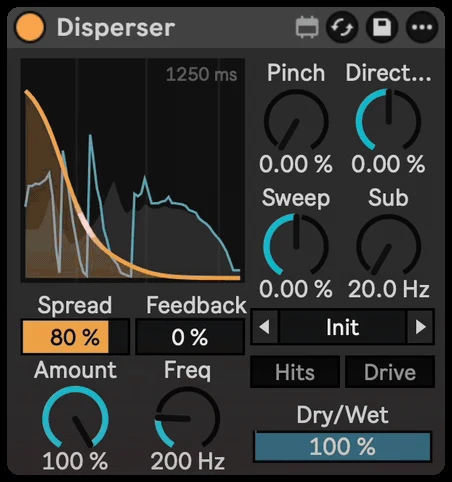
Disperser delays each frequency by a different amount, so snares, kicks and plucks turn into zaps, pews and springy lasers. The display shows incoming sound, its predicted arrival through the effect, and the shape of the zap.
A fuller starting point. Cleaner Drive.
A gentler default, 20 presets, cleaner saturation, improved stereo and low-end handling, and more reliable fast-hit detection. Sweep now has time and curve controls.
Already own Disperser? Get the update from Your downloads. Processing has changed, so keep the previous device for projects where you need the exact original sound. D30 adds zero latency with HQ Drive off (no saturation). Turn HQ Drive on for the 4x oversampled saturation on the zap, with 32 samples of latency (about 0.67 ms at 48 kHz), reported to Live.
Demo audio, pictures and videos show the previous version.
Why I made it
Inspired by Kilohearts' Disperser, which I use all the time for lasers and sound design. I wanted the same effect as a compact device that looks like it came with Live, plus a few extras I kept wishing for. Not affiliated with Kilohearts.
Inside Disperser
Amount and Freq
Amount sets how strong the zap is. Freq sets its pitch.
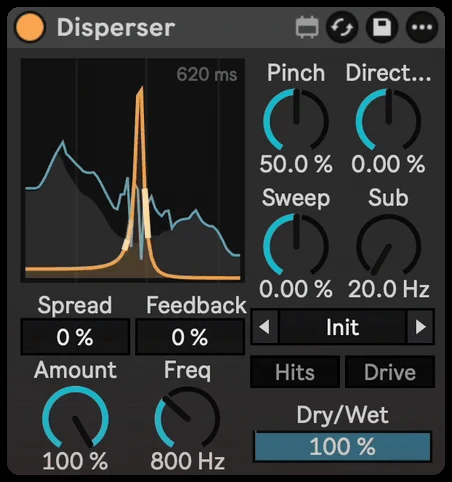
Pinch
Low Pinch gives a wide falling pew. High Pinch rings like a single note.
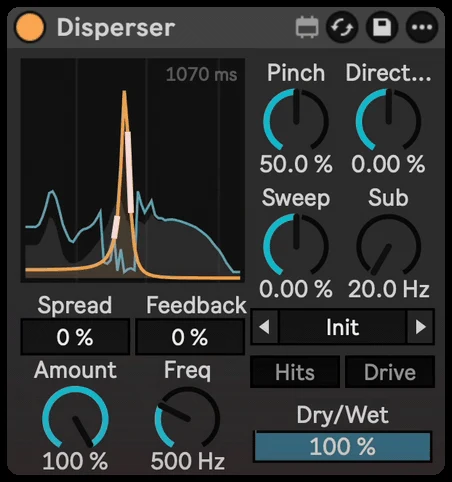
Direction
Flips the sweep, so the zap falls or rises.
Sweep
Drops (or raises) the pitch on every hit. Choose automatic timing or set the sweep time and curve yourself.
Feedback
Repeats the zap like a spring echo, getting darker with each repeat.
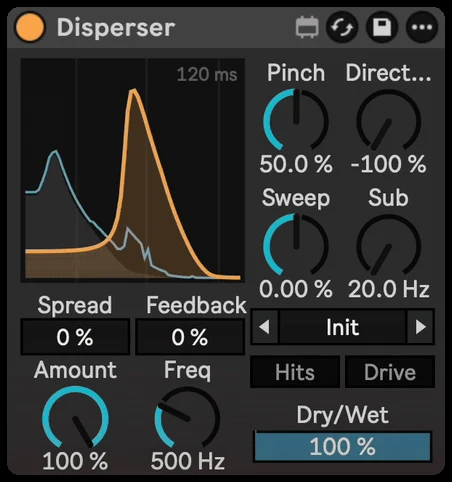
Spread
Stereo width that stays full in mono.
Sub
Keeps a clean low-frequency path alongside the zap.
Hits and HQ Drive
Hits zaps only the attacks, so tails and held notes stay clean. HQ Drive adds oversampled grit and bite to the zap only.
20 presets
Snare Laser, Kick Thwip, Pew Pluck, Laser Drop, Spring Echo, Wide Zap and more. Click the arrows to step through presets, or click the name to open the list.
See Disperser in action
// Technical specsLatency, channels, sample rate
- Latency
- Zero added latency with HQ Drive off; 32 samples (about 0.67 ms at 48 kHz) with HQ Drive on, reported to Live for delay compensation.
- Channels
- Stereo in / stereo out
- Sample rate
- Any rate Live runs at
Questions
Will it mess up my kick's low end?
Sub keeps a clean low-frequency path alongside the zap. Active dispersion can still colour frequencies around the crossover.
Does it have presets?
Yes, 20 presets including Snare Laser, Kick Thwip, Pew Pluck, Laser Drop, Spring Echo and Wide Zap.
Does it add latency?
With HQ Drive off: zero added latency. With HQ Drive on: 32 samples (about 0.67 ms at 48 kHz), reported to Live for delay compensation.
What do I need to run it?
Ableton Live with Max for Live, which comes with Live Suite. It works on Mac and Windows.
Is it a one-time purchase?
Yes. You pay once and download the .amxd file. No subscription.
Requirements & install
- Ableton Live with Max for Live.
- Zero added latency with HQ Drive off; 32 samples (about 0.67 ms at 48 kHz) with HQ Drive on, reported to Live for delay compensation.
- Download Disperser.amxd and drag it into your User Library, or straight onto a track.