ELXR
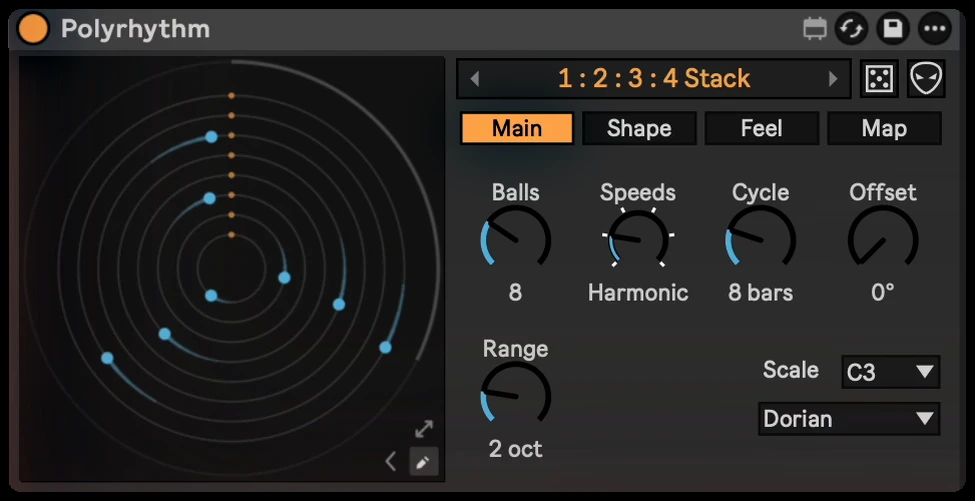
Polyrhythm
Dots orbit at different speeds, and every hit plays a note. A stock-style polyrhythm generator for Ableton Live.
Already own Polyrhythm? Get the latest version →
Play with it here
Just a quick sample to play with, not the full device. Press the orange play button, then drag the dials up or down. The real Polyrhythm adds shapes, drawing, feel, mapping and Drum Rack mode, and plays your own sounds in Live.
What it does
Polyrhythm is a visual rhythm playground: a MIDI effect that turns shapes into rhythms. Each dot circles at its own speed and plays a note every time it hits a trigger. They drift apart, weave patterns and all meet again at the end of the cycle, always locked to Live's transport.
Why I made it
I loved the polyrhythm videos where dots orbit and ring notes, but couldn't find a device that did it in Live and looked like it belonged there. So I built one you can play with and actually use in a track.
Polyrhythm 1.2
Starts reliably in Ableton Live on Mac and Windows. A new Music page adds Phrase, Fill and Accent, and Copy MIDI turns what you just heard into a Live clip. Click the number under a dial to type an exact value.
Inside Polyrhythm
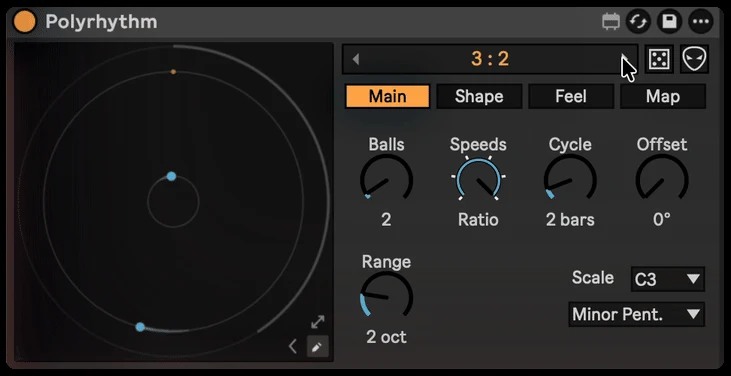
Types
Start from 23 polyrhythm types, from simple ratios like 3 : 2 and 5 : 4 : 3 to stacks of speeds, nested polygons, phasing patterns and classic timelines.
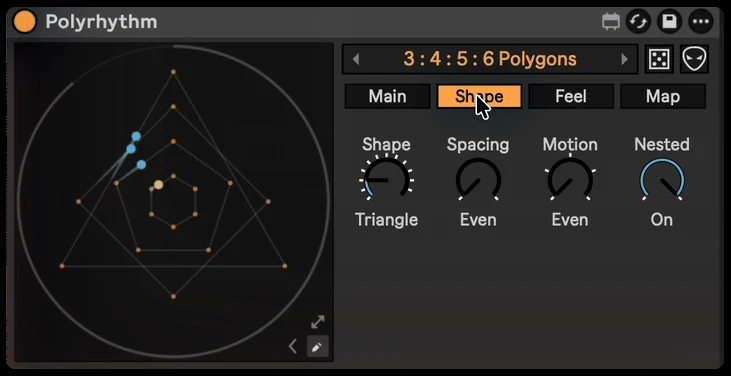
Shape, Spacing, Motion
The shape is the rhythm: a triangle plays three notes per lap, a pentagon five. Spacing makes it Euclidean, Motion adds Swing or Gravity, and Nested gives every dot one more corner.
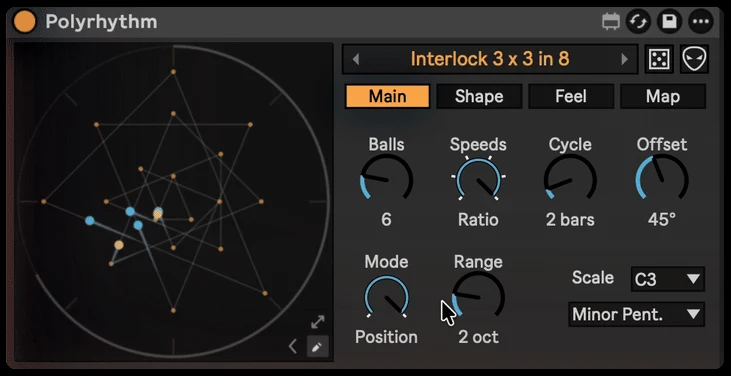
Draw
Draw your own trigger lines and the path the dots travel, on a grid or freehand.
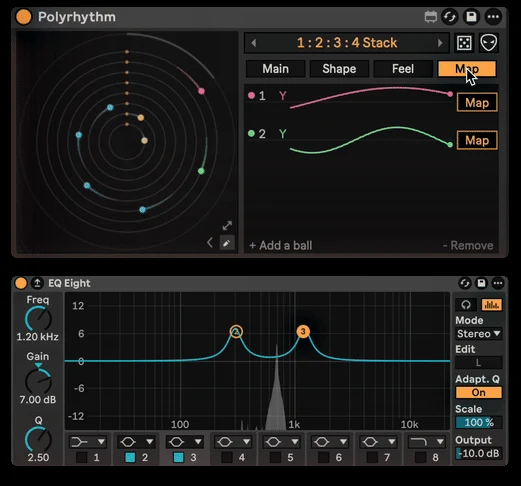
Map
Map any dot to any parameter in Live, with Min / Max per mapping. Map as many dots as you like.
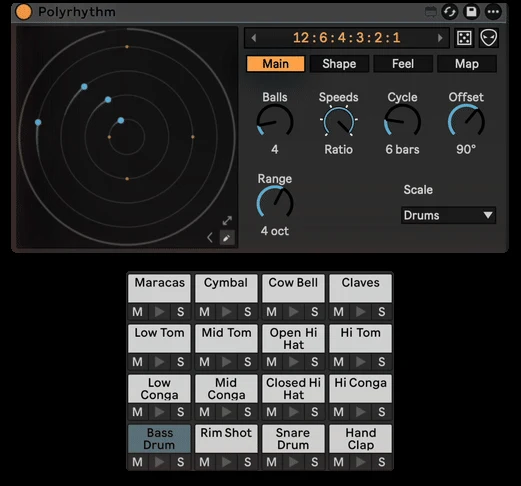
Drum Rack
Set the scale to Drums and each dot plays its own pad.
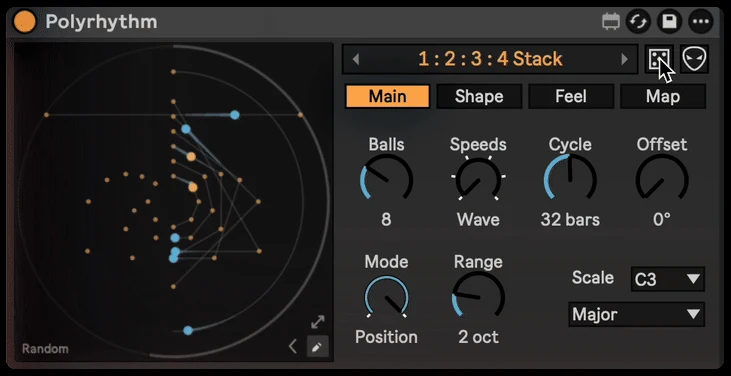
Random and Mutate
Roll the dice for a completely new pattern, or Mutate the one you have with a few small changes.
Feel
Swing, Humanize, Ratchet, Probability, Velocity and Gate, plus any scale and root.
See Polyrhythm in action
// Technical specsLatency, channels, sample rate
- Latency
- None (MIDI effect)
- Channels
- MIDI in / MIDI out
- Sample rate
- Any rate Live runs at
What buyers say
Only verified buyers can leave a review, and every review is shown. Bought it? Leave a review
Absolute fantastic device. Just love it! Lots of controls to shape and play with. Defintitly one of my best purchases ever. Thx for developing this beauty! Maybe a manual would be helpful, as I can´t find out, why quantization isn´t accessible in every setting, but I just played around for an hour. Maybe I´ll get into it later.
Questions
Does it play my own sounds?
Yes. Polyrhythm is a MIDI effect: put it before any instrument in Live and it plays that instrument. Set the scale to Drums and each dot plays its own Drum Rack pad.
Does it stay in time with my track?
Yes. Every pattern is locked to Live's transport, and all the dots meet again at the end of each cycle.
Can it control other parameters?
Yes. Map any dot to any parameter in Live, with Min and Max per mapping.
What do I need to run it?
Ableton Live with Max for Live, which comes with Live Suite. It works on Mac and Windows.
Is it a one-time purchase?
Yes. You pay once and download the .amxd file. No subscription.
Requirements & install
- Ableton Live with Max for Live.
- Download Polyrhythm.amxd and drag it into your User Library, or straight onto a MIDI track.