ELXR
Bass Enhancer
Make your bass heard on phones and laptops with a small, stock-style bass enhancer.
Already own Bass Enhancer? Get the latest version →
Hear the difference
A pure sine sub bass, then the same loop recorded through Bass Enhancer in Ableton Live (the previous version, default settings). Both are matched in loudness, so you hear the change, not just a volume jump. Switch while it plays. Try it on your phone or laptop speakers.
What it does
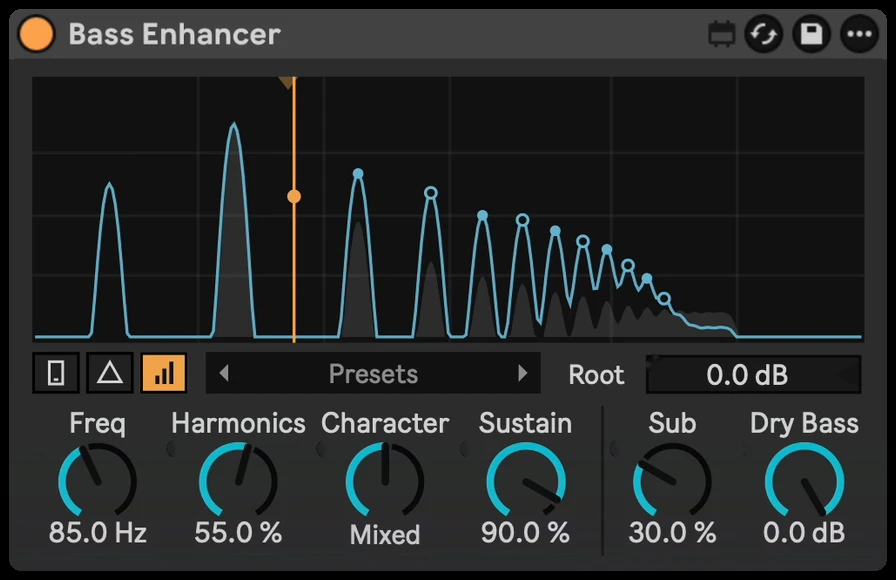
Small speakers can't play deep bass, so on a phone or a laptop your bass line just disappears. Bass Enhancer adds harmonics above the bass that those speakers can play, so your ear still hears the note. The display shows every note's harmonic ladder as you play.
Inside Bass Enhancer
Phone check
Hear your track roughly the way a phone plays it. Phone switches itself off when the device loads, so you never bounce with it on.
Harmonics and Drive
Harmonics sets how much is added, Drive how hard the bass hits the harmonic generator. The harmonics follow every note, so they stay in tune.
Character
From warm, even harmonics to gritty, odd ones.
Focus and Air
Focus sets where the added harmonics start (250 Hz to 1.8 kHz), so the low mids stay clean. Air sets where they stop (1.5 to 10 kHz).
Body
Quiet mono harmonics between 150 Hz and 1.2 kHz for extra weight on small speakers. It is not a sub oscillator.
Compare and Delta
Compare plays your original at about the same loudness, so you judge the tone, not the volume. Delta plays only what's being added.
Auto Gain, Output and Safe
Auto Gain turns the output down when the harmonics make it louder. Output sets the final level, and Safe (on by default) catches peaks at -1 dBFS.
12 presets
Warm Natural, Sub Translator, Reese Edge, Growl, Mono Body and more, built into the device. Click the name for the list, or step with the arrows.
See the harmonics
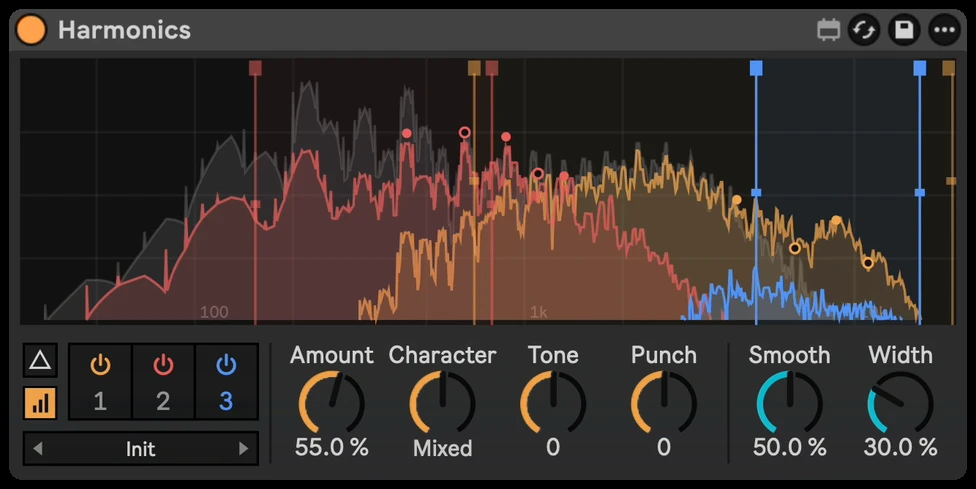
Grey is your bass and colour is what's added, one bell per harmonic. Settings switches to a spectrum view and changes the display colours.
See Bass Enhancer in action
Bass Enhancer 5.21
Rebuilt harmonic shaping, Focus, Air and Body controls, twelve presets and a clearer harmonic display. One device includes Mac and Windows engines.
Already own Bass Enhancer? Get the update from Your downloads. Keep the previous device for existing projects that need the original sound, presets or automation. The pictures, videos and audio demo on this page still show the previous version.
// Technical specsLatency, channels, sample rate
- Latency
- None (0 samples). Nothing to compensate
- Channels
- Stereo in / stereo out
- Sample rate
- Any rate Live runs at
What buyers say
Only verified buyers can leave a review, and every review is shown. Bought it? Leave a review
F*ck MaxxBass, get this one! I am really surprised by the quality of everything I bought here! works like a charm!!!
Questions
Will it change how my bass sounds on big speakers?
Only as much as you want. Bass Enhancer adds harmonics on top and leaves your original bass in the mix. Compare plays the original at a matched level, and Delta lets you hear exactly what's being added.
Does it work on 808s?
Yes. The added harmonics follow every note, including slides.
Does it add latency?
No. Bass Enhancer adds no latency.
What do I need to run it?
Ableton Live with Max for Live, which comes with Live Suite. It works on Mac and Windows.
Is it a one-time purchase?
Yes. You pay once and download the .amxd file. No subscription.
Requirements & install
- Ableton Live with Max for Live.
- No added latency.
- Download Bass Enhancer.amxd and drag it into your User Library, or straight onto a track.