ELXR
// Guide · Ableton Live
How to make your 808 cut through the mix
// Quick answer
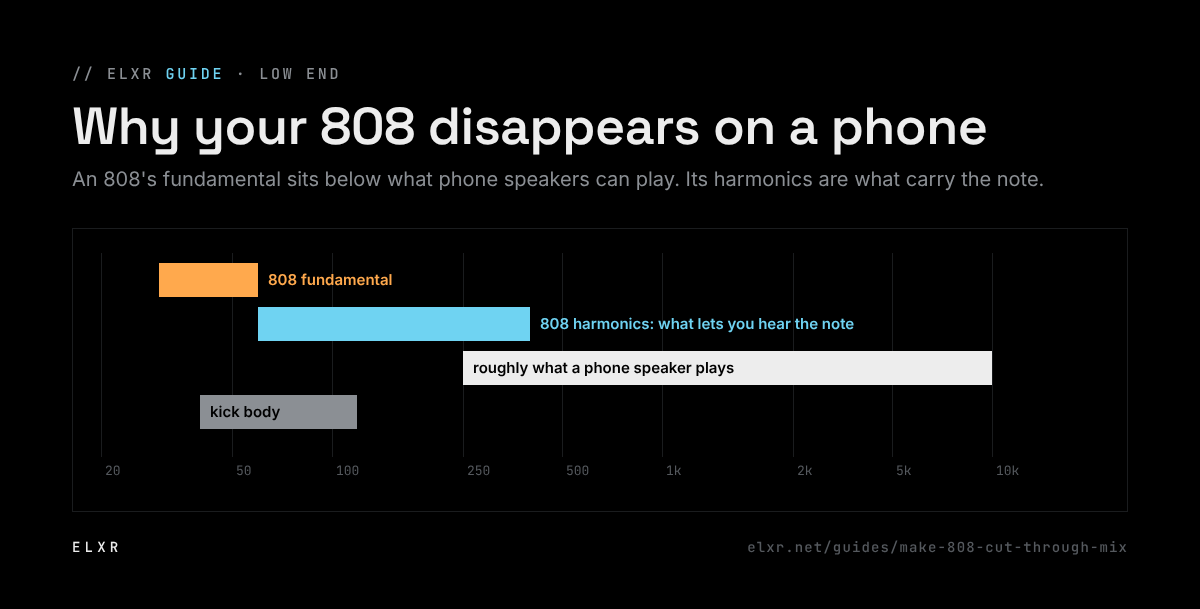
Most of an 808's energy sits below 60 Hz, which small speakers can't play. Add harmonics above the sub so the ear still hears the note, keep the 808 in tune with the song, give it room from the kick, and keep it mono and steady.
Why 808s disappear
An 808 is mostly a sine wave in the sub range. On a phone or laptop, those frequencies just don't come out, so the bass line vanishes. Even on good speakers, an 808 that clashes with the kick or other low sounds turns into mud. The fix is giving the 808 something the ear can hear higher up, and space down low.
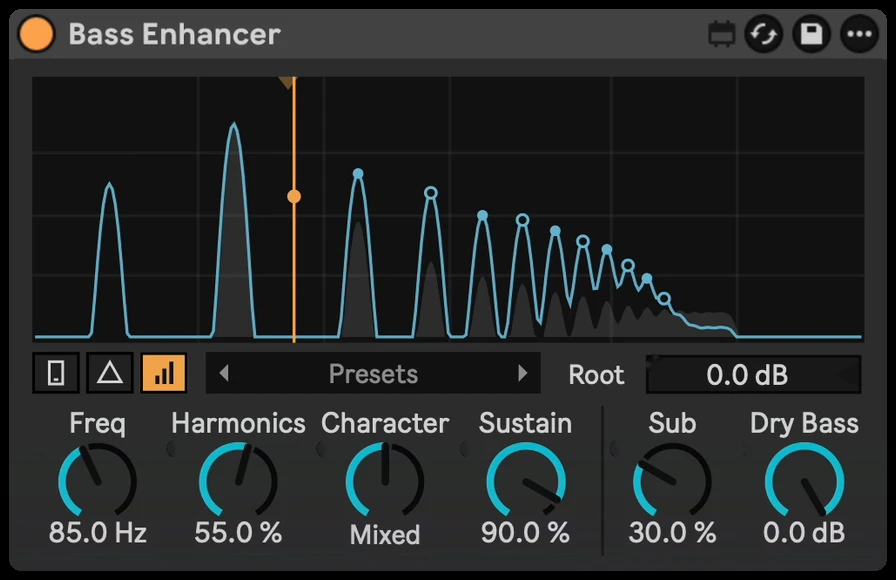
Add harmonics above the sub and check it on Phone with Bass Enhancer →
Five fixes
- Add harmonics. Harmonics an octave and more above the sub let the brain fill in the missing note, the "missing fundamental" effect. Saturator or Roar add them across the whole sound; a bass enhancer adds them only above the sub and keeps the low end clean.
- Tune it. An out-of-key 808 fights the rest of the track. Tune its root to the song's key in Simpler or with clip transpose, and check its glides.
- Make room for the kick. Duck the 808 briefly on each kick with a sidechain or volume shape, or shorten the kick's tail. See our guide to kick and bass clashing.
- Keep it mono. Stereo effects on an 808 make the low end unstable. Keep it centered below about 150 Hz.
- Clear the rest of the low end. High-pass pads, vocals and effects that don't need lows, so the 808 has the sub to itself.
With Bass Enhancer
- Put Bass Enhancer on the 808. The added harmonics follow every note, including slides.
- Switch on Phone to hear it roughly the way a phone plays it (it turns itself off when the device loads, so you never bounce with it on).
- Raise Harmonics and Drive until the bass line is clear on Phone, then check it off again.
- Set Focus so the low mids stay clean, and Character from warm to gritty.
- Use Compare to hear the original at a matched level and Delta to hear only what's added.